
XP, levels & leaderboards
Reward participation with suitable cooldowns and role rewards.
Enable levels
Levels is a Premium module. Configure XP ranges, cooldowns and excluded channels before enabling it broadly. Decide which conversations should count and avoid rewarding command spam or staff-only discussion unintentionally.
Add role and channel XP boosts
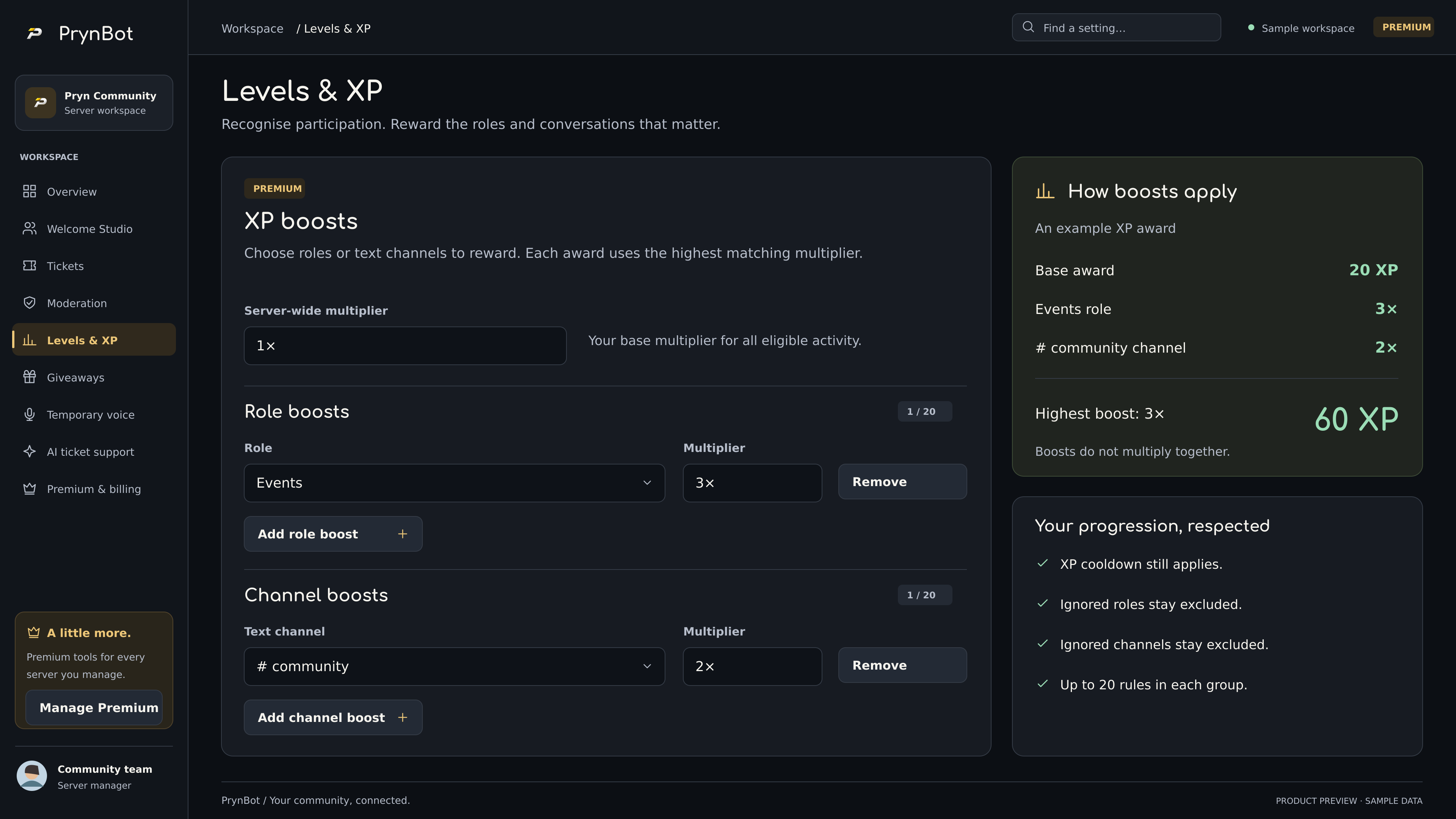
In PrynBot 2.8.0, open Levels & XP → XP boosts. Add a role or text channel and choose a multiplier from 1× to 10×. Up to 20 role rules and 20 channel rules can be saved. Each award uses the highest matching multiplier, including the server-wide value; boosts do not multiply together. For example, a 3× role and a 2× channel award 3×, not 6×.
Ignored roles, ignored channels, bot exclusions and the member cooldown still apply. Save the changes and test with a normal member account. These boosts require Premium coverage and the levels module to be enabled. A multiplier does not create payment or prize entitlements.
Configure role rewards
Choose level thresholds and appropriate roles. PrynBot needs Manage Roles and sufficient hierarchy to deliver them. Avoid automatically granting administrative privileges as an XP reward.
Member commands
Members can use /rank and /leaderboard when the module is enabled in a covered server. Command visibility alone does not establish that Premium or the module is active.
Verify the outcome
Test ordinary messages and ignored channels with a normal account. Check role rewards at thresholds and ensure the cooldown prevents unintended farming. Review configuration if progression is too fast or too slow.